
How I Scrape Unlimited Leads Using Claude Code (And Replaced $1,000/Month in Tools)
I've launched over 24 campaigns for a single company in the last 4 weeks. Generated over 500 qualified opportunities. And here's the part that trips people up.
I didn't use Clay. I didn't use Apollo. I didn't use any of the popular GTM tools for this.
I built the entire lead list - scraped it, enriched it, qualified it, personalised it, and launched the campaign - all using Claude Code.
And I don't know a single line of code.
The Cost Breakdown That Made Me Switch
These companies used to spend anywhere between $500 and $1,000 a month just on lead scraping and enrichment tools. Clay, Apollo, Sales Navigator, and a bunch of others stacked on top.
Now? Their entire cost is around $200 for Claude's Max plan and a few bucks on external API calls. That's it.
So let me walk you through how I replaced my old expensive stack with Claude Code and how I build lead lists at scale with it. No fluff. Just the actual system.
What the Old Outbound Tech Stack Looked Like
For the longest time, the standard outbound setup looked something like this:
↳ Sales Navigator or Apollo to find leads
↳ Export into a Clay table
↳ Email finder tools to get work emails
↳ AI credits for qualification and personalisation
↳ Load everything into your sending tool
That's 5-10 different tools. A lot of manual setup. And a big monthly bill.
I'm not saying those tools are bad. I literally built my business using Clay. I have a full course teaching Clay workflows. Those tools are good at what they do.
But here's what changed.
Claude Code gave me a developer in my terminal. I don't need to speak developer. I speak English. I tell it what I want, and it writes the code, hits the right API endpoints, handles the errors, and gives me the output.
Once I realised that, I started replacing things one by one.
Let me show you exactly what I replaced and how.
Use Case 1: Replacing Sales Navigator and Apollo for Lead Scraping
This is the big one.
I've completely replaced Sales Navigator and Apollo for lead scraping.
Whenever I need a lead list filtered by industry, job title, company size, location — the stuff you'd normally go to Sales Nav or Apollo for — I just open Claude Code, tell it those filters, and it scrapes that list for me.
Here's an actual prompt I'd use:
"I need a list of 10,000 marketing directors with their verified emails at SaaS companies in the US doing $1M to $10M ARR."
Claude Code takes that, structures it into the right API format - in this case I'm using Blitz API - and sends the HTTP request. A few minutes later, I've got a clean CSV of exactly the leads I asked for.
Here's what makes this even better. Blitz API doesn't have a credit system. It's a flat subscription. Whether I pull 100 leads or 10,000 leads — same price.
And because Claude Code handles the formatting, the API calls, and the data cleaning — I describe my ICP in plain English and get a ready-to-use lead list back.
No clicking through filters. No exporting. No reformatting spreadsheets.
Use Case 2: Google Maps Scraper for Local Businesses
What if your target audience is local businesses? Like HVAC companies. Or roofing companies. Or dental clinics.
These aren't the kind of leads you find on Sales Navigator. These are local businesses that live on Google Maps.
So I used Claude Code to build a full Google Maps scraper.
Here's how it works.
I give it one input. Something like: "HVAC companies in California."
A normal search would return maybe 20 results from Google Maps. Useless.
But Claude Code breaks my query down into dozens of sub-queries automatically.
First, it categorises HVAC into sub-categories - plumbing, heating, ventilation - all the different service types.
Then for each sub-category, it creates location-specific searches. So instead of just "California," it's searching "Plumbers in Los Angeles," "Plumbers in San Diego," "Heating repair in Fresno" - and so on.
One query from me turns into sometimes hundreds of unique Google Maps searches.
It runs through all of them, scrapes the business names, phone numbers, websites, ratings, reviews — everything.
Then it compiles all of that into one clean spreadsheet.
Use Case 3: AI-Powered Lead Qualification
Now you've got a lead list. Here's where most people stop. They get a list and start blasting emails.
And that's exactly why their positive reply rates are garbage.
Here's the truth - not every lead on your list deserves an email. Some of them can't afford your retainers. Some aren't the right fit. Some will waste your time on a call and never close.
So I qualify every single lead before it ever hits my outreach tool.
This is where Claude Code gets lethal.
I set strict qualification criteria for every campaign I launch. For example, one filter I always use: is this company already investing in some kind of marketing channel?
If they're spending money on ads, posting content, running any kind of marketing — that tells me they understand the value of customer acquisition.
Claude Code actually scrapes their ad libraries. Meta ads, LinkedIn ads - it checks if they're running campaigns.
It uses external APIs like Firecrawl and Serper to crawl the internet and check for qualification signals. Is the company running paid ads? Do they have active content? Are they hiring for sales or marketing roles?
Then it analyses everything, scores each lead against my criteria, removes all the bad fits, and only passes through leads that are genuinely qualified.
By the time a lead reaches my sending tool, I'm confident I'm reaching out to right people who face the pain point I solve and can pay for it.
Use Case 4: Email Enrichment and Verification
I've got qualified leads. Next step - I need their emails.
Claude Code handles all of this.
It pulls emails using Blitz API first. That gets me work emails for most contacts.
But not every lead has a findable email through standard databases. Especially smaller companies.
So Claude Code also scrapes their actual websites looking for contact emails, generic emails, anything usable.
Then it verifies every single email using Million Verifier.
Sending to unverified emails is how you destroy your domain reputation. I've seen people nuke their entire email infrastructure because they skipped this step.
Claude Code scrapes, enriches, and verifies. All in one flow with a single prompt.
Use Case 5: The Unified System — One Command, Full Campaign
Here's where it all comes together.
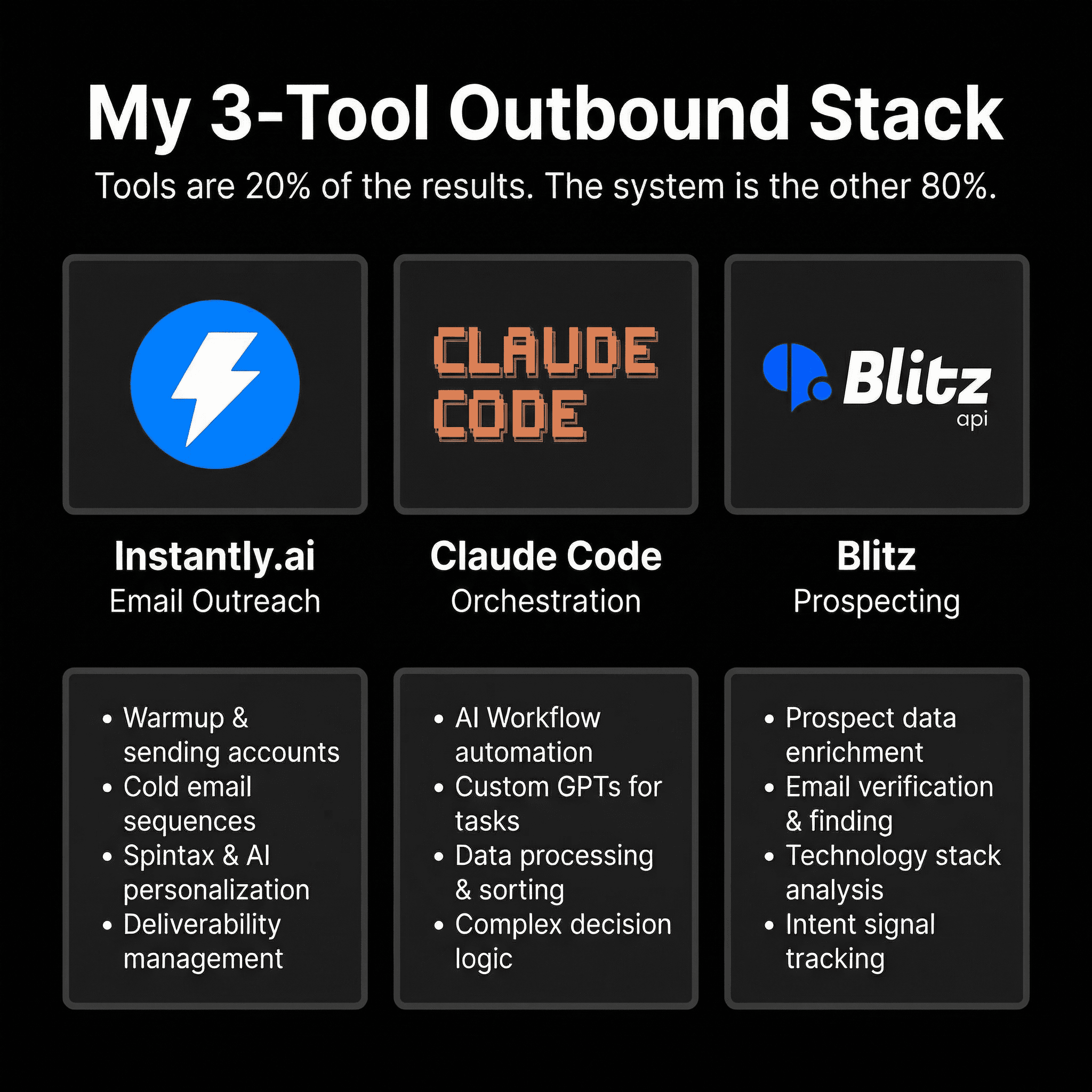
I gave Claude Code access to all my API keys once. Blitz, Firecrawl, Million Verifier, Instantly — everything.
So Claude Code isn't running one task at a time. It has access to my entire infrastructure. It communicates with all these services. It manages rate limits internally. It handles errors and retries on its own.
Which means I can give it one prompt. Something like:
"I need a lead list of marketing agency owners in the UK with 10 to 50 employees who are running Meta ads. Enrich their emails, verify them, and upload them to my Instantly workspace with this email sequence."
And it does everything. Drafts a final campaign for me.
And here's the part I almost forgot — it also personalises the emails.
For my outreach, I always use custom variables — things like the lead's business category, their target audience, what services they offer.
Claude Code scrapes their website using Firecrawl, pulls all that information, and plugs it into my email template. Every single email feels like I wrote it specifically for that person.
The Full Pipeline at a Glance
Here's the entire system mapped out:
↳ Scrape leads based on ICP filters (Blitz API)
↳ Qualify leads using intent signals (Firecrawl + Serper)
↳ Enrich emails (Blitz API + website scraping)
↳ Verify emails (Million Verifier)
↳ Personalise outreach (Firecrawl website scraping)
↳ Launch campaign (Instantly.ai)
Total monthly cost: ~$200 for Claude Max + a few dollars in API calls.
Old stack cost: $500-$1,000/month across 5-10 tools.
One prompt. One system. Full campaign ready to send.
What You Should Take Away From This
The tools don't matter as much as the system behind them. Whether you're using Clay or Claude Code or whatever comes next — the logic stays the same.
Find the right leads. Qualify them properly. Personalise your outreach. Automate the boring stuff.
I've recorded a full paid course — over 45 hours of content — where I walk through everything I showed here. The exact setup. The exact prompts. The exact API configurations. Everything you need to replicate this system for yourself or your clients.
If you want access, DM me "COURSE" and I'll send you the details.
PS — Which use case surprised you the most? Drop it in the comments. I read every one.
Want us to build this for you?
We build full-stack revenue engines on a pay-per-close basis. Book a free strategy call to see if we're a fit.